Documentation
Installing and Activating
1. Upload Plugin: In your WordPress Admin Dashboard, navigate to Plugins > Add New, and upload the ibs-consent-mode-manager.zip file.
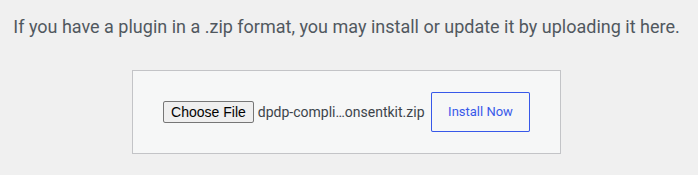
2. Activate: Once uploaded, click Activate Plugin.
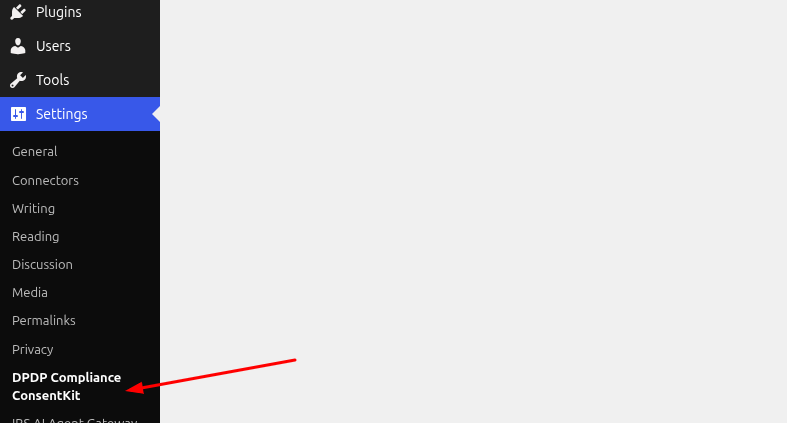
3. A new DPDPConsentKit Compliance menu item will now appear in the Settings sidebar.
How To Use
Log in to DPDPConsentKit and copy the required values from the script provided in your account.
-
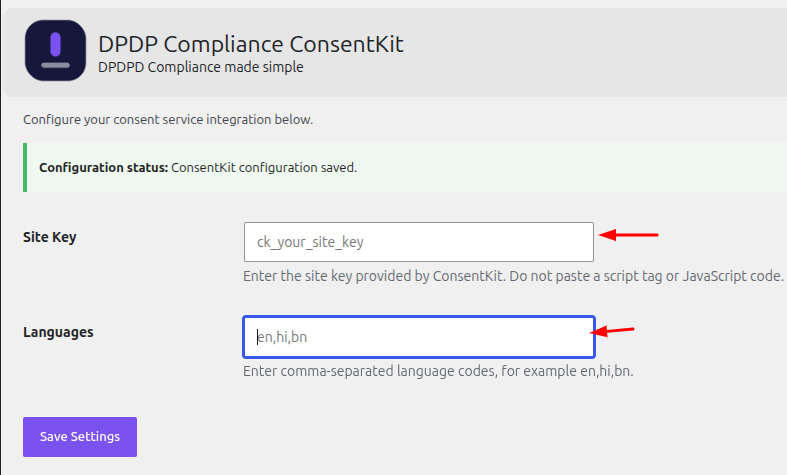
Site Key: Copy the value of the
data-siteattribute from the script and paste it into the Site Key field. -
Languages: Copy the value of the
data-languagesattribute and paste it into the Languages field.
Note: Copy only the attribute values, not the entire script tag or JavaScript code.
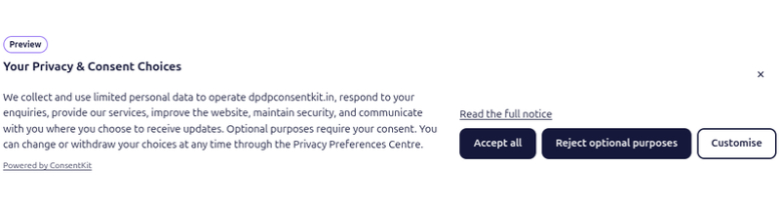
After saving the settings, visit your website to see the consent banner displayed.